


RV LIFE - RV GPS & Campgrounds
3.92.13K Reviews
App Specs
- Version
- 5.1.4
- Updated On
- License
- Free
- Downloads
- 1,000,000+
- Developer
- Social Knowledge, LLC
- Categories
- Travel & Local
- Platform
- Android, iOS
Screenshots
 Analysis by AppCompare
For an RV trip, the most useful navigation app is not always the one with the most familiar map. It’s the one that helps you think about where a larger vehicle can go and where you can stop when you get there. That is the promise behind RV LIFE - RV GPS & Campgrounds, and it makes the app appealing to travelers who want route planning and campground research in one place. I like that combination, though I’d still treat any suggested route as something to check, not as a substitute for judgment behind the wheel.
What the app brings to an RV trip
RV LIFE is a free travel app from Social Knowledge, LLC, in the Travel & Local category. Its store page shows an average rating of 4.2 from around 7,300 ratings, and more than a million installs. It is rated for everyone, and the current version is 5.0.0. Optional in-app purchases are listed from $19.99 to $64.99 per item, so it’s sensible to check what a particular purchase covers before deciding whether you need it.
Getting started and setting expectations
First things first, downloading and setting up RV LIFE was a breeze. Available on both Android and iOS, it took me no time to find it, and before I knew it, I was exploring the app. The interface is user-friendly, with a clean design that's easy on the eyes. It's like the app already knows you're on a trip and don’t want to deal with any unnecessary complications.
The app was released on October 9, 2018, and its current version is 5.0.0. That history gives it a place among established RV travel tools, but what matters more in practice is whether the route and stop information suits your vehicle and plans. I’d start by getting comfortable with the basic screens before setting off, rather than trying to learn the controls while navigating a busy junction.
Routing for a vehicle that is not a car
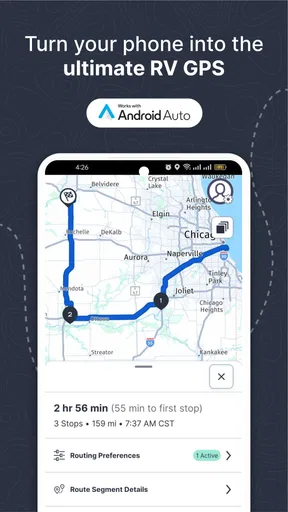
One of the standout features is the GPS navigation tailored specifically for RVs. It takes into account the size of your rig, ensuring you avoid low bridges and narrow roads. This is a lifesaver, as any seasoned RV traveler can tell you horror stories about getting stuck or having to backtrack miles.
That vehicle-aware focus is the app’s clearest advantage over simply opening a general map app and asking for directions. A route that looks sensible for a car can be a poor fit for a tall or long RV, and avoiding that mismatch is worth planning for. Still, I wouldn’t interpret an RV-oriented route as a guarantee that every turn or road condition will be suitable. Check the route against your own vehicle details and current signs, especially when a detour, construction, or local restriction changes the situation.
A useful habit is to review the whole drive before leaving, not just the first leg. Look for places where you may want a break and consider whether the day’s plan leaves room for a slower pace. This does not make the app less helpful; it makes its guidance part of a safer routine. If the route feels questionable, pause and reassess rather than following navigation automatically.
Worth Reading Before You Choose

Flipboard Shows What News Apps Must Do Beyond the Feed

Switching to Android Auto Means Rethinking Your Driving Routine

Google Calendar Makes a Crowded Week Easier to Manage

Ludo King Makes the Most of the Minutes Between Plans

Baby Panda World Brings Quick Play to Modern Phones, but Its Game Library Feels Busy

ESPN’s Live Game View Makes Following Close Games Easier
Finding a place to stay, not just a place on the map
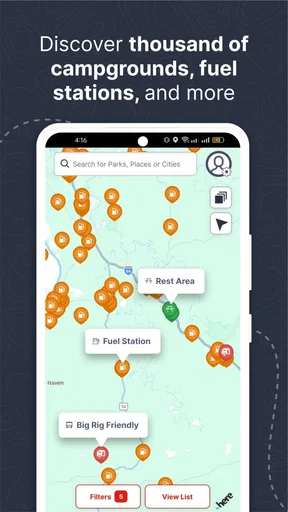
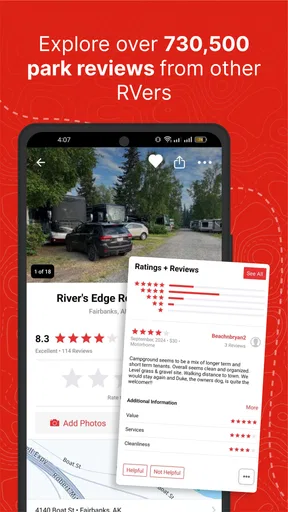
The campground finder is another gem. The app provides a comprehensive list of campgrounds, along with reviews from fellow travelers. It's like having a community of RV enthusiasts in your pocket, ready to share their insights and tips. I found this especially useful when I was trying to find a spot with great amenities and a beautiful view.
Reviews can help narrow a search, but I’d use them as a starting point rather than the final word. A traveler’s idea of a good site may not match yours: one person may care most about quiet, while another prioritizes facilities or the location. When choosing a stop, compare the comments with what your own trip requires, then confirm any important details directly before committing. That small extra step matters most when arriving late or traveling with a tight schedule.
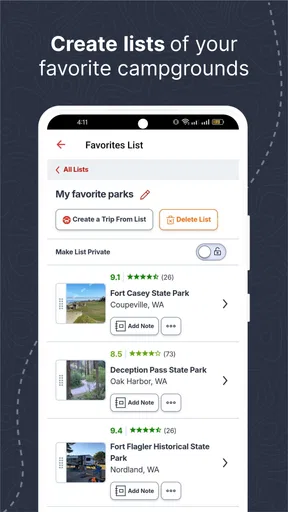
For a practical workflow, I’d shortlist a preferred campground and a backup before setting out for a long day. If the first option no longer fits, you are not forced to start searching from scratch while tired. The app’s campground information makes that kind of planning more convenient, but it does not remove the need to judge availability and suitability for yourself.
Planning a trip around real stops
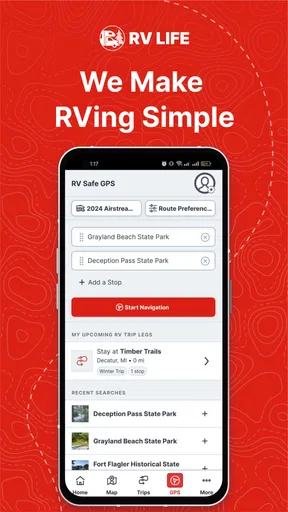
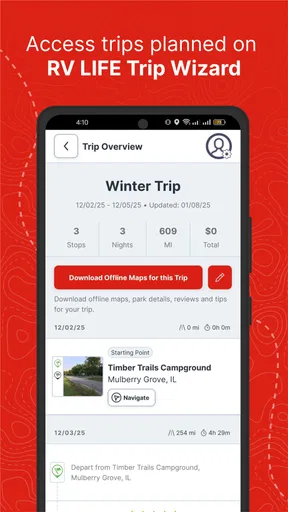
Planning is half the fun of any trip, and RV LIFE makes it even more enjoyable. The trip planner feature allows you to map out your journey, add stops, and even share your plans with friends or family. It’s a great way to keep everyone in the loop and maybe even inspire others to join you on the road.
This is particularly useful when a trip has more than one overnight stop. Rather than treating the destination as the only important point, I’d build the route around realistic stages: a place to pause, a campground that suits the night, and enough flexibility if the day runs long. Sharing the plan can also make coordination easier for people meeting you along the way. It is a planning aid, not a promise that every part of the itinerary will unfold exactly as expected.
Not to mention, the app's integration with Google Maps ensures that you have up-to-date traffic information, which is crucial when you’re trying to make good time or avoid a dreaded traffic jam.
For example, imagine leaving home for a weekend away and finding that your preferred campground is not a convenient stop for the first night. I’d use the planner to break the journey into manageable parts, check campground choices along the route, and share the outline with whoever is expecting me. On departure day, I’d still review traffic and road conditions before setting off. That balance—planning ahead without assuming the plan is fixed—is where the app makes the most sense to me.
Community advice and sensible cross-checks
What sets RV LIFE apart is its strong community aspect. The app includes forums where you can ask questions, share experiences, and connect with other travelers. It’s like having a support group of people who get your love for RV life.
Forums are most valuable when you ask specific questions and provide relevant context. Advice about a route or stop is more useful when other travelers understand what kind of RV and trip you have in mind. At the same time, community comments are personal experience, not official road guidance. I’d use them to spot considerations I might have missed, then check essential decisions against current information.
Plus, the customer support is top-notch. I had a few questions about certain features, and the response was swift and helpful. It’s clear the developers are committed to providing a great user experience.
There is a trade-off to the app’s all-in-one approach: more trip information does not automatically mean less work. You still need to check the route, weigh campground reviews against your needs, and leave room for changes. People who only want a quick point-to-point drive may find a familiar general navigation app simpler. RV LIFE is a better fit when RV-specific routing and campground discovery are central to the trip, not when you just need directions across town.
Who is likely to get the most from it?
I’d recommend giving it a look if you travel by RV often, are planning a longer road trip, or find yourself repeatedly switching between route searches and campground research. Newer RV travelers may appreciate having trip planning and a community in the same app, while experienced drivers may value the vehicle-oriented navigation and the ability to organize stops. The strongest use case is a journey where the route and overnight choices need to be considered together.
It is less compelling for someone who rarely travels by RV, already has a route-planning routine they trust, or wants only the fastest directions for an ordinary car. It may also be frustrating if you expect a navigation app to make every decision for you. RV travel involves vehicle dimensions, changing conditions, and personal preferences; no single route suggestion or review can account for all of them.
The app is free to download, which makes trying its basic approach straightforward, but in-app purchases are available. If you are considering one, first work out whether the feature or access it offers solves a problem you actually have. I would not pay simply because a trip feels complicated; I’d identify the specific planning gap first and decide whether the purchase addresses it.
My verdict on RV LIFE
So, is RV LIFE - RV GPS & Campgrounds worth it? For anyone who loves the open road and the freedom an RV provides, this app is a must-have. It takes the stress out of navigation and planning, allowing you to focus on what really matters: the journey itself.
With its reliable GPS, extensive campground information, and vibrant community, RV LIFE truly feels like having a seasoned road trip buddy with you at all times. Whether you're a rookie or a seasoned traveler, this app is a valuable tool that enhances the RV experience.
So, grab your keys, fire up the engine, and let RV LIFE guide you to your next adventure. Happy travels!
Pros
- Accurate GPS navigation tailored for RVs.
- Extensive campground database with reviews.
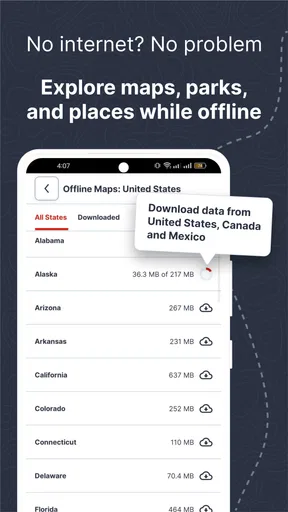
- Offline maps available for areas with no signal.
- Customizable trip planner for seamless journeys.
- Real-time traffic updates enhance travel safety.
Cons
- User interface can be overwhelming for beginners.
- Subscription required for premium features.
- Occasional lag in map loading on older devices.
- Limited support for non-RV vehicles.
- Some campground info may be outdated.
FAQs for RV LIFE - RV GPS & Campgrounds
What features does RV LIFE - RV GPS & Campgrounds offer?
RV LIFE provides comprehensive navigation tailored for RV travelers, including RV-safe routes, campground directories, and offline maps. It also offers trip planning tools and reviews from other RV enthusiasts. The app ensures that users have all the necessary information for a safe and enjoyable RV journey.
Is RV LIFE - RV GPS & Campgrounds suitable for all types of RVs?
Yes, the app caters to various RV sizes and types. Users can input their RV dimensions to receive route recommendations that avoid low clearances and narrow roads. This feature ensures that travelers avoid potentially dangerous routes and have a smooth travel experience.
Can I use RV LIFE offline while traveling?
Absolutely. RV LIFE offers offline maps, allowing users to navigate without an internet connection. This is particularly useful in remote areas where connectivity might be an issue. Users can download maps and access essential features even when they are off the grid.
How does RV LIFE help with finding campgrounds?
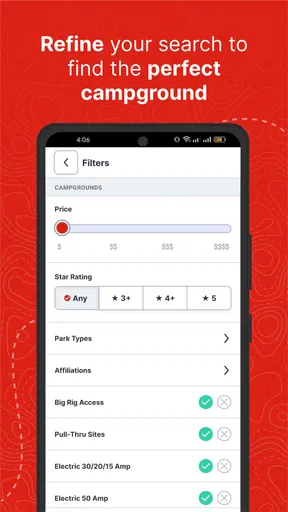
The app includes a comprehensive campground directory with filters for amenities, price range, and user reviews. This helps travelers find suitable campgrounds that meet their specific needs. The community reviews provide insights into the quality and facilities of each campground.
Is there a community aspect to RV LIFE - RV GPS & Campgrounds?
Yes, RV LIFE fosters a community of RV enthusiasts who share reviews, tips, and experiences. Users can contribute by writing reviews and joining discussions within the app. This community aspect enriches the user experience by providing real-world insights and advice from fellow travelers.


